
MIDI while performing
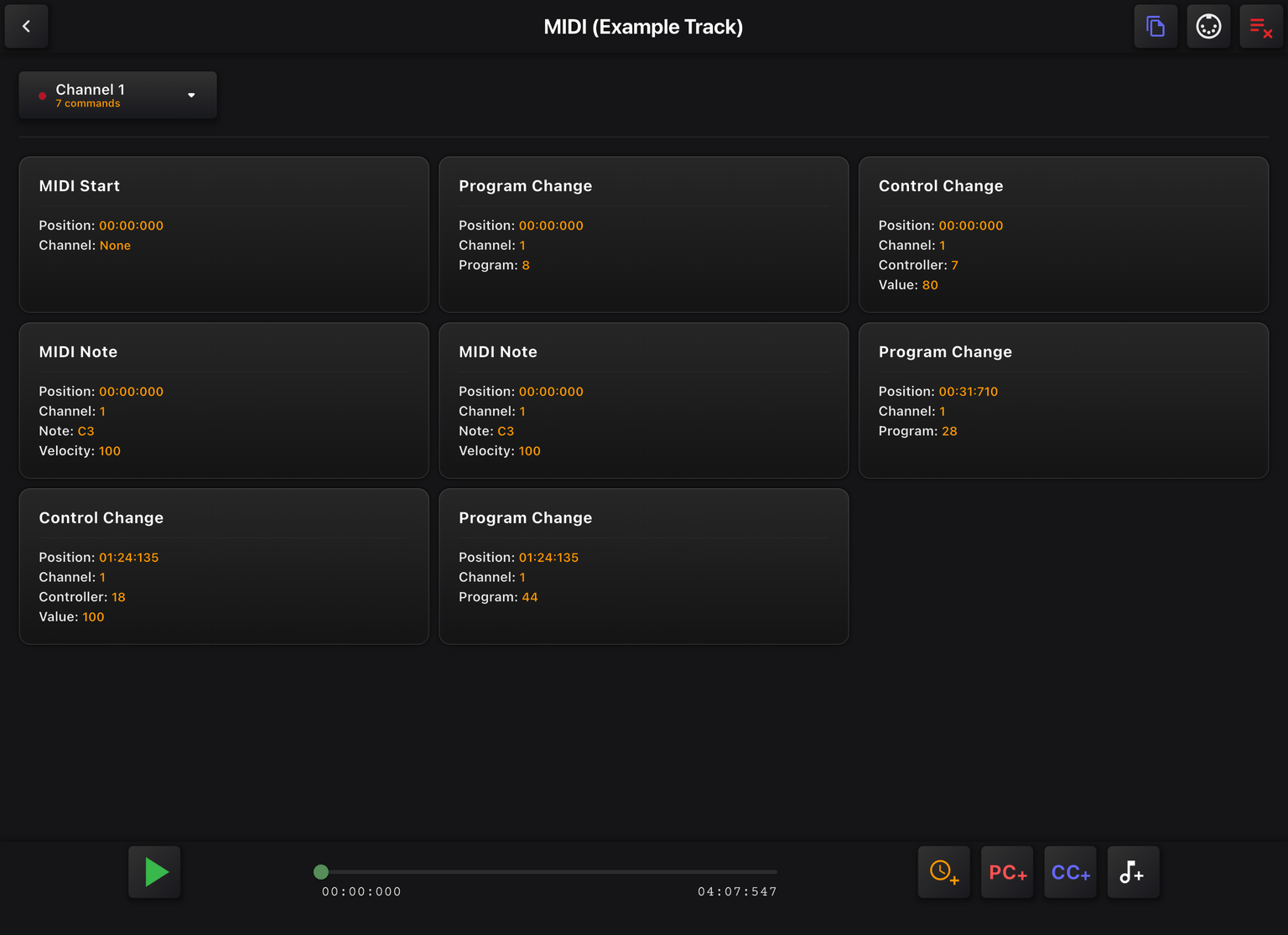
With the MIDI Plugin you can add commands to your tracks at specific time points. Commands are sent automatically during playback, switching presets, triggering your lighting rig, or syncing any connected device without lifting a finger.
You can also attach MIDI commands to individual pads, and trigger them at any moment while a track is playing.
Commands
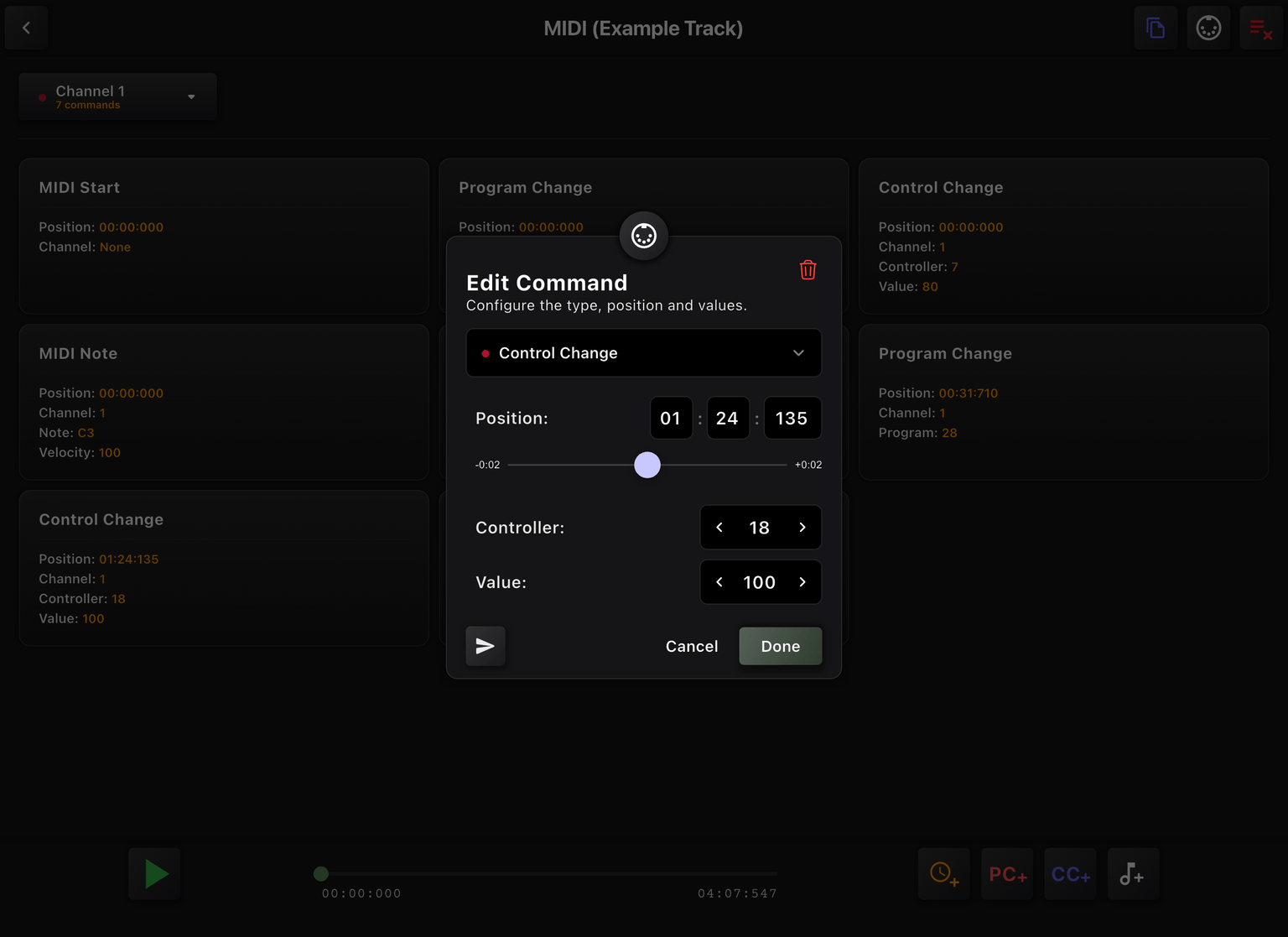
You can configure the following types of MIDI commands:
Program Changes
Control Changes
Single notes
MIDI Start/Stop/Continue
Each command type has its own set of configurable values to match your exact setup.
Control EasyPerformer with MIDI
EasyPerformer can also receive MIDI commands. Connect a MIDI footpedal, keyboard, or any MIDI controller and configure which incoming MIDI messages trigger media actions inside the app.
This is ideal for performers who need their hands free. Step on a pedal and EasyPerformer responds instantly, without ever touching the screen. It works with any device that sends standard MIDI messages over USB or Bluetooth.

Start using MIDI
We offer a 1-day free trial to try out the MIDI Plugin. To fully use this plugin, you will also need a MIDI USB cable or bluetooth MIDI receiver. Check out our list of accessories that have been tested and confirmed to work perfectly with our plugin.